
Download ThinkSmart Portal – Android, Lifestyle, Health & Fitness, Class Management, Free App, Secure, Latest Version, Update, PC Software, Desktop Application
Overview
ThinkSmart Portal is a mobile application designed to enhance the class experience for users enrolled in programs offered by a third-party provider. Developed by ThinkSmart Software, the app operates within the Lifestyle category, specifically targeting individuals engaged in health and fitness-related classes. Its primary purpose is to streamline communication and administrative tasks between participants and the organization managing the classes.
The app allows users to maintain up-to-date personal information, ensuring that the provider always has accurate records. It also facilitates the management of financial transactions by enabling users to set their preferred payment method directly within the app. This reduces the need for manual coordination and helps prevent delays in billing or enrollment processes.
Real-world usage scenarios include individuals managing recurring class schedules, tracking attendance, and handling make-up sessions without direct contact with staff. The app also supports notifications for absences, helping users formally communicate their unavailability. Additionally, users can book supplementary services or resources, creating a centralized platform for all class-related activities.
While the app is currently available on Android, details about desktop compatibility or cross-platform availability were not provided.
Key Features & Capabilities
- Personal Information Management – Users can update their profile details directly within the app, ensuring the provider maintains accurate records. This is especially useful when contact information, emergency contacts, or preferences change.
- Payment Method Integration – The app allows users to securely store and select their preferred payment method, simplifying transactions for class fees, make-ups, or additional services.
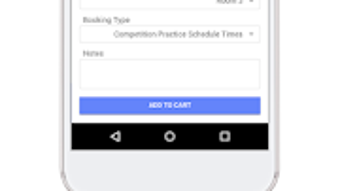
- Class Enrollment & Make-Up Booking – Users can enroll in upcoming classes and schedule make-up sessions without requiring assistance from staff, saving time and reducing administrative overhead.
- Absence Notification System – A built-in feature enables users to notify the provider of planned absences, promoting transparency and helping the organization manage class capacity and scheduling.
- Additional Service Booking – The app supports reservations for supplementary offerings such as personal training sessions, equipment rentals, or wellness workshops, providing a one-stop solution for all class-related needs.
These features collectively reduce dependency on email or phone calls for routine administrative tasks. For example, a user who misses a class can immediately book a make-up session and notify the provider of their absence in a single workflow. Similarly, someone planning to upgrade their class package can update their payment method and reserve additional services without leaving the app. The integration of these functions enhances user autonomy and organizational efficiency.
User Interface, Workflow & Performance
The user interface of ThinkSmart Portal appears to be designed with simplicity and functionality in mind. Navigation is likely structured around core actions such as profile management, class enrollment, payment settings, and notifications. The workflow emphasizes direct access to frequently used features, minimizing the number of steps required to complete common tasks.
For instance, enrolling in a class probably involves selecting a session from a calendar view and confirming with a single tap. Similarly, updating personal details may be accessible via a dedicated profile section with clearly labeled fields. The app’s performance is expected to align with standard Android application behavior, offering responsive interactions and smooth transitions between screens.
However, exact performance details such as CPU usage, memory consumption, or load times were not specified. The developer did not provide additional system requirements or information about background processes. Stability during high-traffic periods, such as class registration windows, remains unverified.
General software behavior patterns suggest the app functions reliably under normal usage conditions, but real-world testing would be required to confirm long-term performance.
Compatibility & System Requirements
ThinkSmart Portal is currently available for Android devices. The developer did not specify the minimum Android version required for installation. Compatibility with specific device models, screen sizes, or hardware configurations was not provided.
Installation size details were not disclosed, nor were any explicit hardware requirements such as RAM or processor specifications. The developer did not mention whether the app supports tablets, wearables, or other Android-based platforms. Platform compatibility information is limited to the Android operating system.
Users are advised to ensure their device meets standard Android app requirements for optimal performance. The developer did not specify whether the app is available on other platforms such as iOS, Windows, or Mac. For desktop users, there is no indication of a native PC application or web-based alternative.
The lack of detailed compatibility data means users should verify functionality on their specific device before installation.
Pros and Cons
Pros
- Streamlines class enrollment and make-up booking processes
- Centralized management of personal and payment information
- Facilitates absence notifications for better communication
- Supports booking of additional services or resources
- Free to download and use, reducing entry barriers
Cons
- Currently limited to Android; no desktop or iOS version available
- Exact system requirements and performance metrics were not provided
- No information on offline functionality or data sync behavior
- Limited compatibility details for device types and versions
- Dependence on provider’s backend system for full functionality
FAQ Section
Is ThinkSmart Portal available for iOS devices?
As of now, the app is only available for Android. There is no official information about an iOS version.
Can I use ThinkSmart Portal without an internet connection?
While the app may allow some local actions, such as viewing saved data, full functionality likely requires an active internet connection to sync with the provider’s system.
Is the app secure for storing payment information?
The app is designed to handle payment details securely, but specific security protocols were not disclosed in the provided information.
How often does the app receive updates?
Update frequency is not specified. Users are encouraged to check the app store regularly for the latest version.
What type of license does ThinkSmart Portal use?
The app is offered as a free tool with no visible licensing model. It is not a subscription-based service based on available details.
Final Thoughts
ThinkSmart Portal presents a practical solution for individuals participating in structured class programs, particularly within the health and fitness space. Its focus on streamlining enrollment, payment management, and communication with providers makes it a valuable tool for users seeking greater control over their class experience. The app’s ability to centralize multiple administrative tasks into a single interface enhances convenience and reduces reliance on external communication channels.
While the lack of desktop or iOS support limits its accessibility, the Android availability ensures that a significant portion of users can benefit from its features. The absence of detailed system requirements or performance data is a notable gap, but the app’s design appears to prioritize usability and efficiency. For users who frequently attend classes and value automation, ThinkSmart Portal offers a reliable and user-friendly platform.
Download ThinkSmart Portal now and take control of your class experience.







